


Receipt Scanner: Easy Expense
4.83.46K Reviews
App Specs
- Version
- 5.73.0
- Updated On
- License
- Free
- Downloads
- 1,000,000+
- Developer
- Easy Expense Tracker
- Categories
- Business
- Platform
- Android, iOS
Screenshots
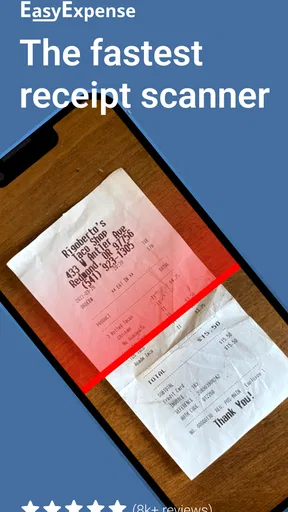
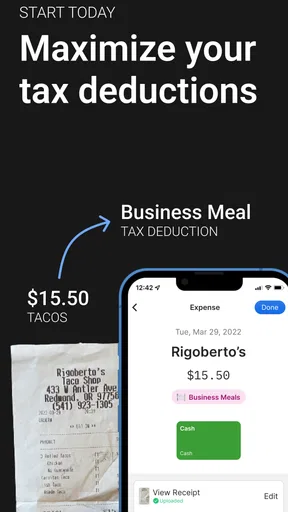
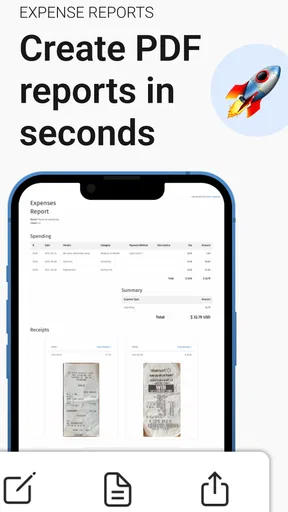
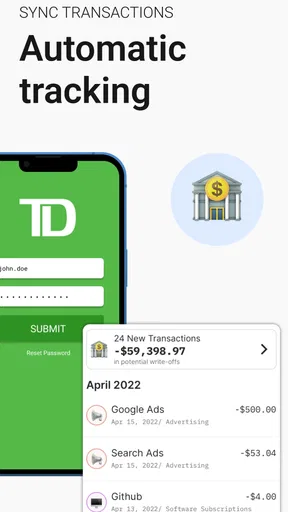
 Analysis by AppCompare
I judge a receipt app less by a flashy scan demo than by what happens when I’m tired, in a hurry, and holding a faded slip from lunch. That is where Receipt Scanner: Easy Expense has a useful role: it is a business expense tracker built around capturing and organizing receipts, with AI-assisted scanning and support for team expense management. I’d consider it for a small operation or a freelancer who wants a clearer record than a wallet full of paper, while keeping in mind that a scan still deserves a quick human check.
Where receipt tracking can get stuck
The awkward part of expense tracking is often not taking a picture; it is keeping the record complete enough to make sense later. A receipt might be blurry, folded across the total, or mixed in with personal purchases. A scan can save the image, but it cannot make a missing detail appear. I recommend checking the merchant, date, and amount while the purchase is still fresh in your mind, rather than waiting until a reimbursement or bookkeeping deadline.
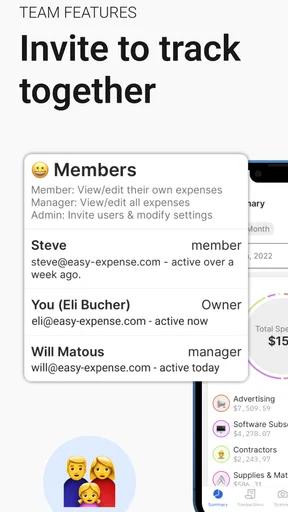
That small habit matters especially when several people share responsibility for business spending. If one person records a purchase and another later reviews it, clear, consistent entries are more useful than a large batch of unlabeled images. The app’s team focus makes it relevant to that workflow, but teams still need an agreed routine for recording purchases and checking expense details.
Setup checks before the first scan
The basic setup should feel approachable, but it is worth deciding how you intend to use the app before importing a backlog. Are you tracking only work expenses, or also personal spending? Will each person enter their own purchases? A simple rule about what belongs in the tracker and how to categorize it can prevent a messy collection that is technically complete but hard to review.
For the first receipt, use a flat, well-lit surface and keep the whole paper inside the camera view. If the paper is creased or the print is faint, take a moment to inspect the result rather than assuming the scan caught every figure correctly. AI scanning can reduce typing, but it should be treated as a shortcut, not as a substitute for checking amounts before relying on them.
It is also sensible to try the workflow with a small number of real expenses before making the app your only routine. That lets you learn where categories fit your work and whether the way you prefer to review receipts feels comfortable. Since this is a business app from Easy Expense Tracker, its emphasis is more practical for expense records than for broad household budgeting.
Using the app in a real expense routine
I find a receipt routine works best when it is tied to a moment that already happens, rather than relying on remembering every purchase as it occurs. In this section, I’d focus on how a short end-of-day check can keep work receipts connected to their purpose, especially when several people share expense tracking. That habit also makes it easier to spot a missing or unclear entry before the next review.
Worth Reading Before You Choose

EA SPORTS FC Mobile 26 Is a Bigger Football Game, but It Takes Time

Flipboard Shows What News Apps Must Do Beyond the Feed

Switching to Android Auto Means Rethinking Your Driving Routine

Google Calendar Makes a Crowded Week Easier to Manage

Ludo King Makes the Most of the Minutes Between Plans

Baby Panda World Brings Quick Play to Modern Phones, but Its Game Library Feels Busy
Recovering a receipt workflow when it slips
Even a tidy system gets interrupted: a busy day passes, a receipt stays in a coat pocket, or a scan is difficult to read. I would handle that by entering or scanning expenses in short, regular batches instead of leaving the entire month until the last minute. When a receipt is unclear, compare the captured details with the paper and correct the record before moving on. That is less frustrating than discovering a questionable amount when someone needs the expense reviewed.
A practical routine is to make one quick pass after a work trip or a day with several purchases. Group receipts by the purpose you will need later—such as travel or meals—then look for missing entries while the context is still easy to recall. Categorization is most useful when labels mean the same thing each time; creating a new interpretation for every unusual purchase makes later comparisons harder.
When the app is not the cause
A scan that looks wrong is not necessarily a software failure. Glare, shadows, tiny print, a curled edge, or a receipt that has faded can all make text harder to capture. Before rescanning, flatten the paper, change the angle to reduce reflections, and check that the full receipt is visible. If the printed information itself is missing or illegible, keep the original and use whatever record your business accepts rather than trusting an uncertain scan.
Likewise, a team’s expense process can create confusion even when the app is working as expected. If two people categorize the same type of purchase differently, reports become harder to interpret. Agree on a few consistent categories and decide who checks entries; the app can help organize records, but it cannot settle a team’s bookkeeping rules for you.
Who will get the most from it
I see the strongest fit for freelancers, small business owners, and work groups that regularly handle receipts and want less paper to sort through. A contractor who buys supplies on the way to a job, for example, can scan the receipt while the purchase is easy to identify, assign it to a familiar category, and keep the record with other business spending. A team member returning from a client visit can use the same habit for travel or meal expenses, making later review less dependent on memory.
It is less compelling if you only make occasional purchases and already have a reliable filing method, or if your main goal is a detailed personal budget covering income, bills, savings, and spending plans. A spreadsheet may suit someone who wants full control over custom columns and formulas; a bank’s built-in tools may be more convenient for people who only need a broad view of card transactions. Those alternatives do not necessarily preserve the same receipt-centered routine, so the better choice depends on whether paper documentation is the problem you are trying to solve.
What to expect from scanning and team use
One useful trade-off is speed versus certainty. Scanning is attractive when you have several receipts to process, but the faster the capture, the easier it is to overlook a misread figure or an incomplete image. I would make checking the total part of the scan habit, especially for larger business purchases. For low-value slips, a quick visual pass may be enough; for records that affect reimbursement or bookkeeping, careful verification is worth the extra moment.
For a team, the practical question is not only whether multiple people can take part, but whether everyone will follow the same routine. Agreeing on when an expense should be entered and how it should be labeled helps avoid duplicate or hard-to-identify records. If your organization needs a tightly controlled approval chain or specialized accounting procedures, check that its working requirements fit before depending on a general expense tracker as the whole process.
People also reasonably ask whether they must scan every receipt immediately. I would not treat instant entry as a requirement for every situation; the important thing is to choose a repeatable time and keep receipts together until they are recorded. A small envelope or a dedicated place in a bag can bridge the gap on a busy day. The more receipts pile up, though, the more likely it is that their purpose will be forgotten, so frequent short sessions are easier to maintain than a major catch-up.
How it compares with familiar alternatives
Compared with photographing receipts into a general gallery, a dedicated expense tracker is meant to connect the image to an expense record and its category. A gallery can be a quick backup, but it tends to leave you searching through unrelated photos and relying on filenames or memory. Compared with a spreadsheet, a scanner-first app may reduce manual entry, while a spreadsheet gives a more flexible structure for people who enjoy building their own system. Neither approach removes the need to check details.
There is also a difference between receipt records and account-based budgeting. A budgeting tool can help show spending patterns from transactions, while a receipt workflow helps preserve the paper trail behind work purchases. If you need both, decide which task is currently causing the most trouble rather than expecting one app to replace every financial tool. This app makes the most sense when collecting and organizing expense receipts is the recurring pain point.
Cost, availability, and a sensible trial
The app is free to install, with optional in-app purchases ranging from $0.99 to $144.99 per item. I would start by checking that the basic receipt routine works for your needs before paying for anything. If you are evaluating it for a team, test the process with a few real examples and confirm that the available setup suits the way your group handles expenses. That is more useful than choosing a paid option before you know whether the habit itself will stick.
It is rated for Everyone, has an average rating of 4.8 from around 18,000 ratings, and has been installed over 500,000 times. It was released on January 19, 2020, and version 5.52.0 requires Android 7.0 or later. Those details suggest it is an established Android option, but a rating cannot tell you whether its workflow matches your organization. I would use your own first few receipts as the deciding test.
First Impressions
When I first opened Receipt Scanner: Easy Expense, I was greeted with a clean, intuitive interface. No unnecessary bells and whistles here, folks. Just straightforward navigation, which is a breath of fresh air in a world where apps often try to do too much.
The setup was a breeze—no lengthy onboarding process. Just a quick sign-up, and I was ready to start scanning. And if you’re like me, anything that saves time gets a gold star.
Features That Stand Out
The app’s scanning feature is impressively accurate. Using my phone’s camera, I snapped a quick shot of a crumpled receipt, and the app did the rest. It’s like magic! The text recognition was spot on, capturing every detail from the date to the total amount.
One of the coolest features is the ability to categorize expenses. Whether it’s for business travel, groceries, or dining out, you can easily organize your receipts. This categorization makes it super simple to track where your money is going.
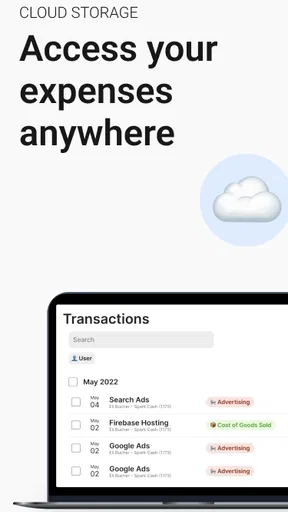
Another nifty feature is the export option. You can generate reports in various formats like PDF or Excel, which is a lifesaver during tax season. Plus, the app offers cloud storage integration, so you can save your data securely and access it from anywhere.
User Experience
Let’s talk about usability. The app’s design is minimalistic but effective. The developers clearly focused on making the user experience smooth and hassle-free. I didn’t encounter any glitches or crashes, which, let’s be honest, is a big win in my book.
Navigation is straightforward, with all the main features accessible from the home screen. I appreciated not having to dig through endless menus to find what I needed. The app also includes a handy search function, making it easy to find specific receipts or categories quickly.
Why It’s Worth Downloading
If you’re someone who travels a lot for work or simply wants to keep better track of personal expenses, this app is a game-changer. The time and stress it saves are invaluable. No more sifting through piles of paper or trying to remember where that receipt from two weeks ago went.
Receipt Scanner: Easy Expense is particularly useful for freelancers and small business owners who need to keep meticulous records. It’s like having a tiny accountant whispering, "I’ve got this," every time you scan a receipt.
Final Thoughts
In conclusion, Receipt Scanner: Easy Expense delivers on its promise of simplifying expense tracking. It’s user-friendly, accurate, and efficient. Whether you’re tech-savvy or a bit of a novice, you’ll find this app easy to navigate.
So, if you’re looking to declutter your financial life, give this app a shot. You won’t regret it. And who knows? You might even find yourself looking forward to scanning those receipts. Crazy, right?
Pros
- Seamless integration with cloud storage.
- User-friendly interface for quick navigation.
- OCR technology for accurate data extraction.
- Supports multiple currencies and languages.
- Customizable categories for better organization.
Cons
- Limited features on the free version.
- Occasional inaccuracies in receipt scanning.
- Requires consistent internet for cloud sync.
- In-app ads may interrupt user experience.
- No offline mode for receipt uploads.
FAQs for Receipt Scanner: Easy Expense
What are the main features of Receipt Scanner: Easy Expense?
Receipt Scanner: Easy Expense offers an intuitive interface for capturing and organizing receipts. Key features include automatic receipt scanning, categorization, expense tracking, and export options for financial reports. It also integrates with cloud services for data backup and synchronization across devices, making it a comprehensive tool for managing personal and business expenses.
Is Receipt Scanner: Easy Expense secure to use with sensitive information?
Yes, security is a top priority for Receipt Scanner: Easy Expense. The app uses encryption to protect your data and offers secure cloud storage options. Additionally, it allows users to set up password protection or biometric authentication, ensuring that your financial information remains safe and accessible only to you.
Can I use Receipt Scanner: Easy Expense without an internet connection?
Yes, Receipt Scanner: Easy Expense can be used offline. You can scan and categorize receipts without an internet connection. However, features like cloud synchronization and data backup will require an internet connection. Once you're back online, your data will automatically sync with the cloud if you have enabled this feature.
Does Receipt Scanner: Easy Expense support multiple currencies?
Yes, the app supports multiple currencies, making it ideal for international travelers or businesses dealing with global transactions. Receipt Scanner: Easy Expense automatically detects and converts currencies based on your preferences, ensuring accurate tracking and reporting of expenses across different countries.
Are there any subscription fees or in-app purchases in Receipt Scanner: Easy Expense?
Receipt Scanner: Easy Expense offers a free version with basic features. However, for advanced functionality, such as unlimited receipt storage and premium support, a subscription is required. Users can choose from various subscription plans that cater to different needs, ensuring flexibility and value for money.


